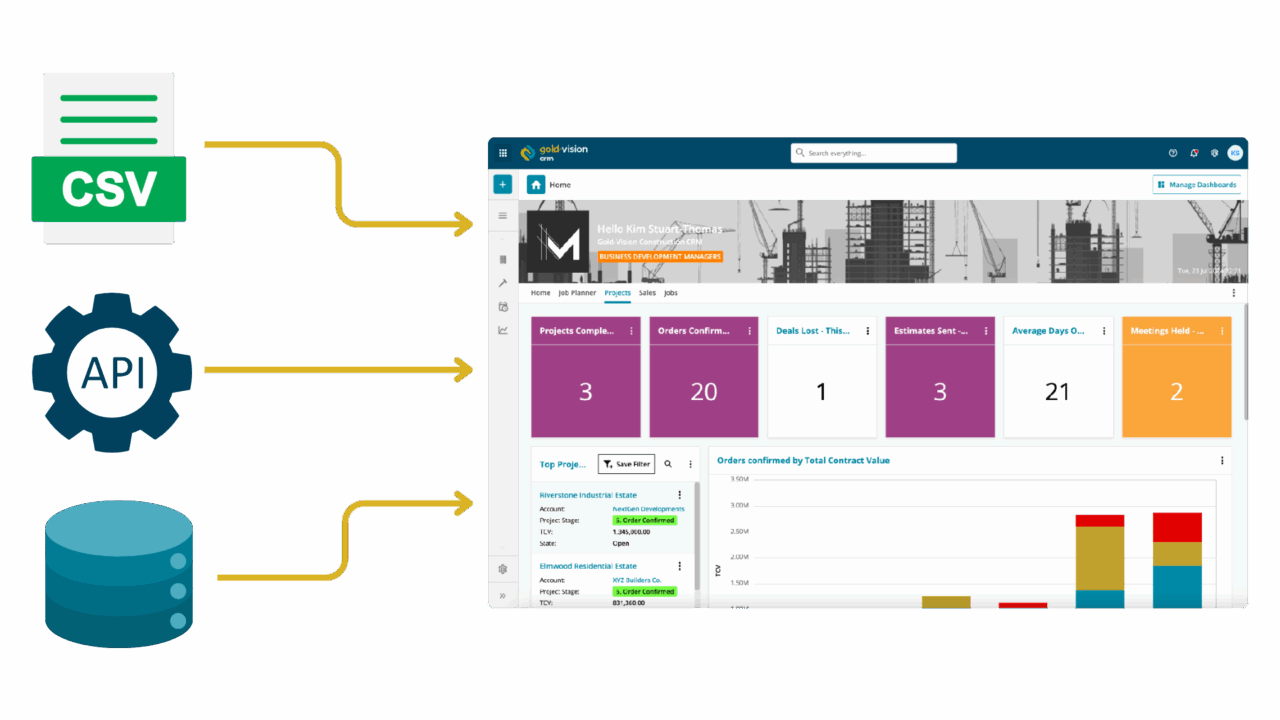
Illustration showing data being imported into a CRM dashboard from multiple sources including CSV files, APIs, and databases, highlighting the flexibility of the data import tool.

Manually transferring data is time-consuming and prone to errors. Gold-Vision Data Bridge takes the stress out of repetitive data imports by automating the process. Whether it’s daily updates or complex workflows, our tool ensures your data gets where it needs to be, in minutes, not hours.

Real-world use-cases

Gold-Vision Data Bridge goes beyond standard data import tools by automating even the most complicated processes.

Here are a few ways businesses are already benefiting from using Data Bridge:

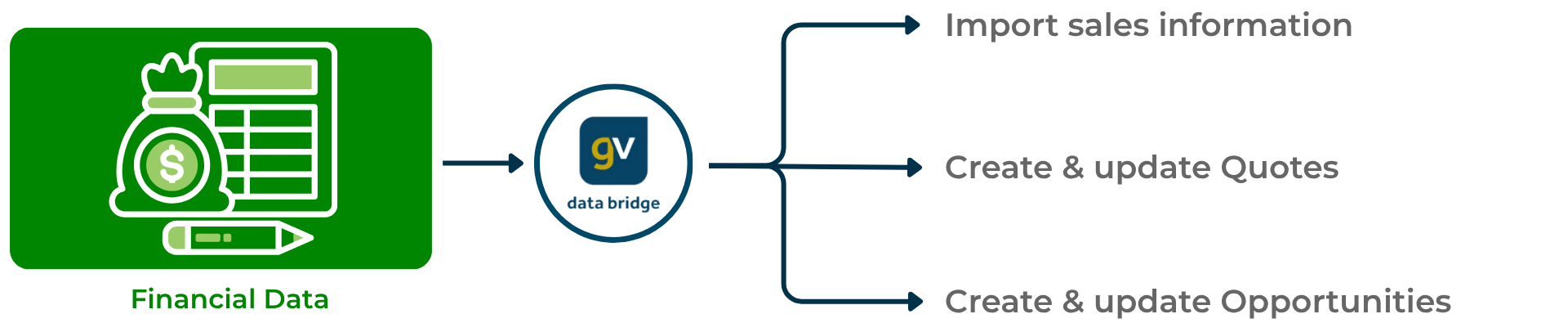
Automatically sync records like invoices or sales orders from your accounting system into Gold-Vision, keeping your financial data up to date daily or even hourly.

Diagram depicting how Gold-Vision Data Bridge imports financial data to create and update quotes and opportunities, streamlining financial record management.

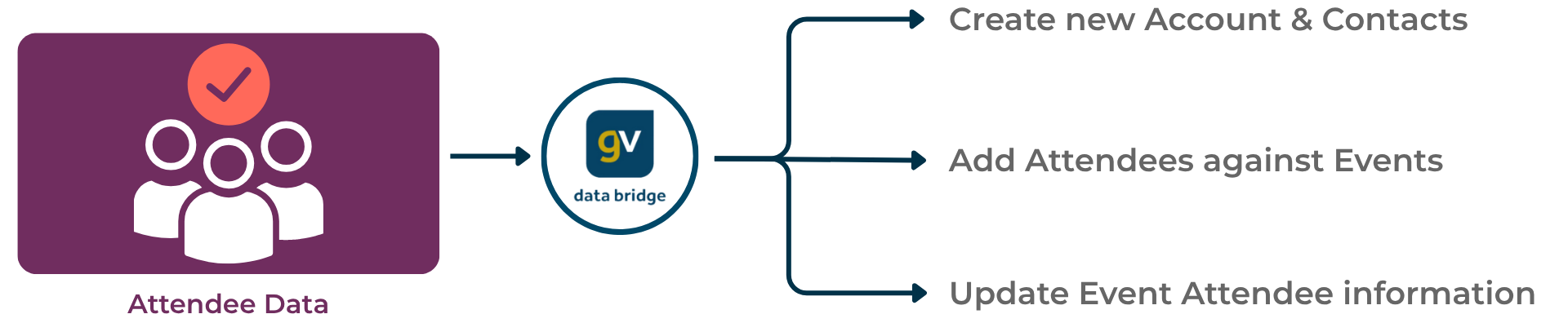
Easily manage event data by importing attendees and their booking details into your CRM, then track further engagement effortlessly.

Diagram showing how Gold-Vision Data Bridge imports attendee data to create new accounts and contacts, add attendees to events, and update event attendee information

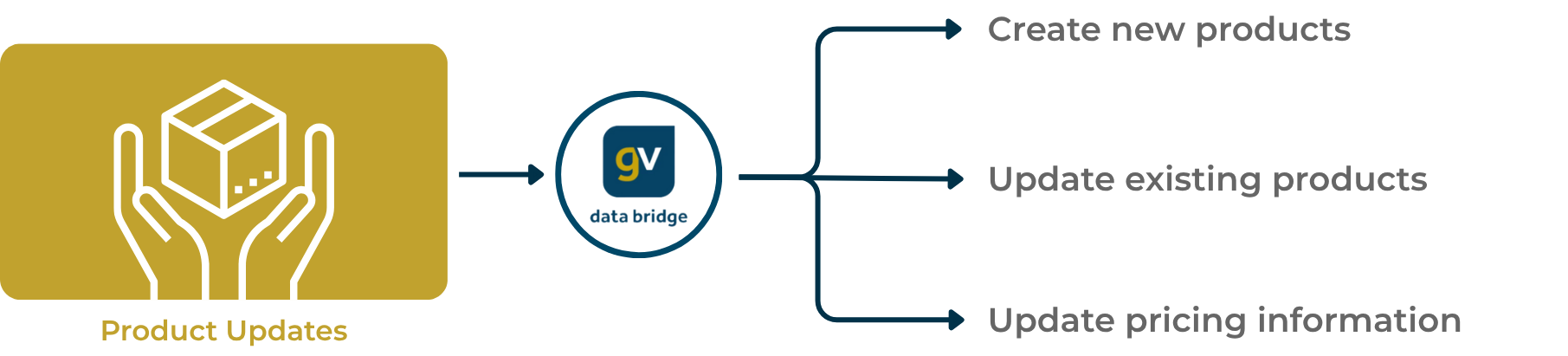
Quickly refresh your database with up-to-date product and pricing information, ensuring your team always has access to the latest data.

Diagram illustrating how Gold-Vision Data Bridge handles product updates, enabling users to create new products, update existing products, and update pricing information.

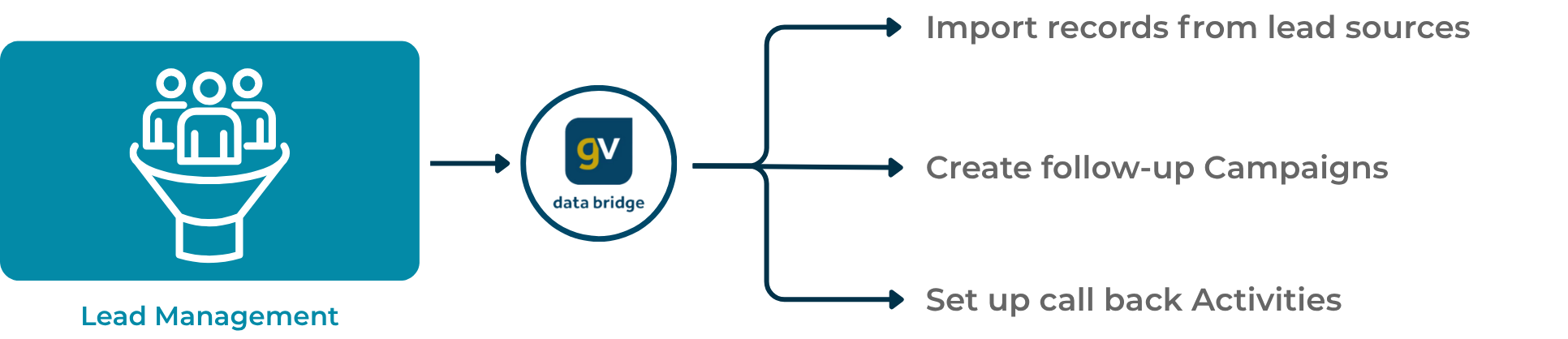
Import high-quality leads from sources like Glenigan or Barber, and kickstart follow-up activities such as call scheduling or email campaigns automatically.

Diagram showing how Gold-Vision Data Bridge imports lead records, creates follow-up campaigns, and sets up callback activities for effective lead management.

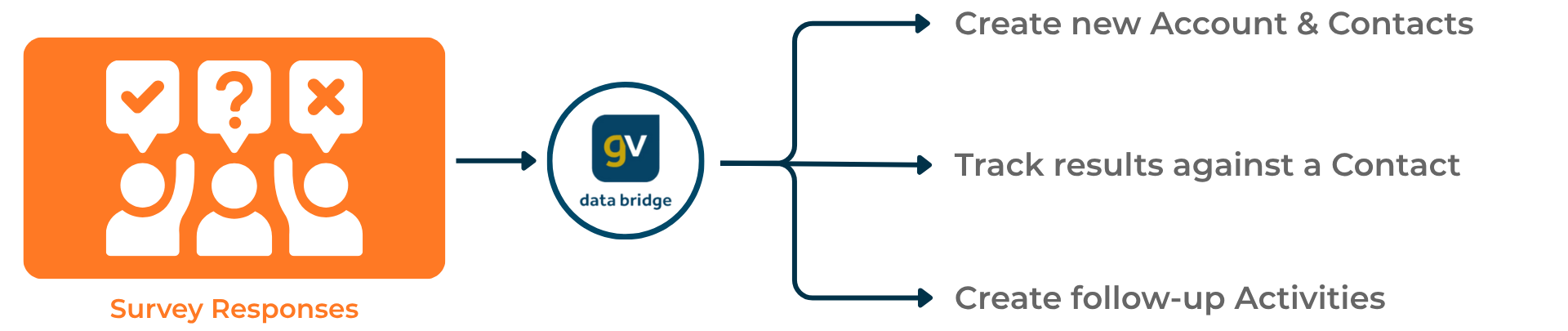
Seamlessly import and action survey responses by automatically attaching results to the relevant contacts or accounts in Gold-Vision.

Diagram illustrating how Gold-Vision Data Bridge processes survey responses to create new accounts and contacts, track results against contacts, and generate follow-up activities.

Why choose Gold-Vision Data Bridge?

From saving time to streamlining complex jobs, here’s what sets Data Bridge apart:

Time-saving automation

Forget spending hours on manual data entry. Set up automated jobs to handle imports as often as needed.

Versatile and scalable

Allows data imports from CSV files for seamless integration.

Handles complex workflows

From updating financial records to creating quotes and opportunities, automate multi-step processes effortlessly.

Fully customisable

Tailored configuration means every import job works exactly how you need it to.

Ongoing support and expertise

Our consultants will handle the setup and testing for you, just save the file in the right folder, and the data bridge will do the rest

We don’t expect you to just take our word for it…

We’re incredibly pleased with the Data Bridge. Automating one of the most time consuming and business critical processes has made a huge impact on our team. Not only has it significantly improved efficiency, but the process is now fully understood, embedded and delivering real value to the business. This has been a game changer for us and we truly appreciate the collaboration and expertise that made that possible.

PMC treasury logo

Melissa Cameron
Operations Coordinator

Get ahead with automated imports

Stop wasting hours on repetitive data uploads. Gold-Vision Data Bridge ensures your data is accurate, integrated, and always up to date.

Get in touch